
CM2 Rent in Pakistan: Rent the Infinity CM2 Dongle
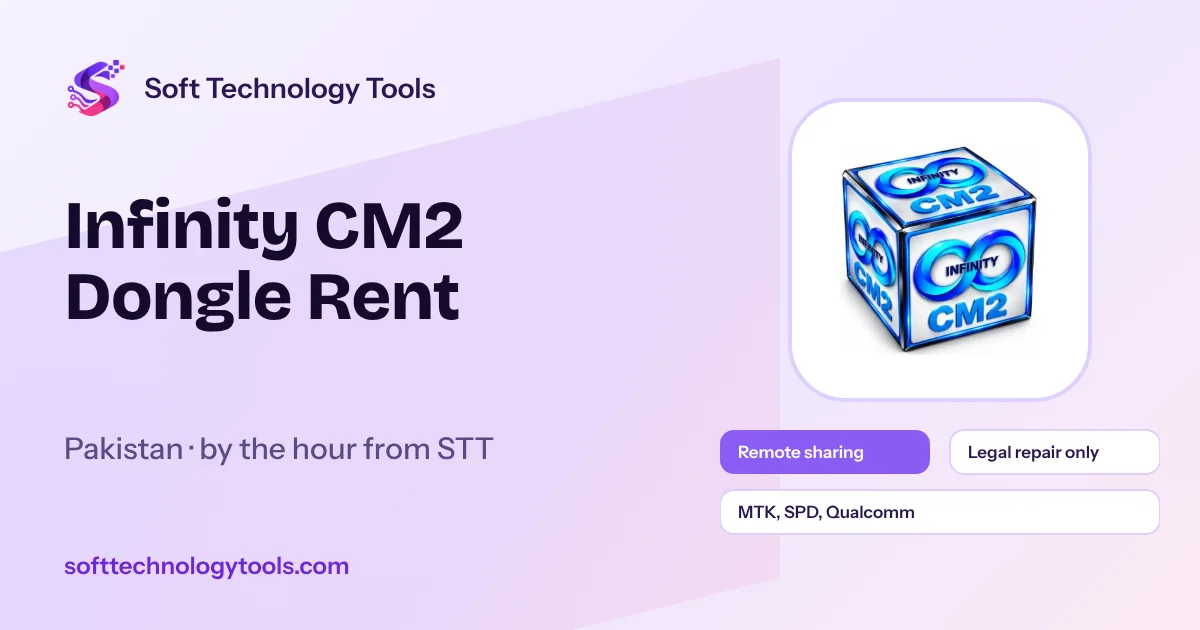
CM2 rent in Pakistan gives repair shops access to the Infinity CM2 Dongle for as long as a job needs, without buying the dongle. Soft Technology Tools (STT) rents CM2 by the hour or by the day and connects it to your PC by remote sharing.
One useful detail: a single CM2 rental from STT covers every CM2 module, including MTK, SPD, Qualcomm and the other modules in the tool. This guide explains what CM2 is, the servicing work it is used for, and how to prepare so your rental time goes on the job, not on setup.
What the Infinity CM2 Dongle is
The Infinity CM2 Dongle is a service tool made up of several modules, each aimed at a group of chipsets, such as MTK, SPD and Qualcomm. Technicians run the CM2 software on a Windows PC, and the software needs the dongle to work.
When you rent CM2 from STT, the dongle stays with STT and is shared to your PC over the internet. CM2 is a third-party product. STT rents access only, and the name and logo belong to the maker.
What you can do with it
You can use any model the tool supports for general servicing work, including:
- Firmware flashing: installing or reinstalling a phone’s software
- Reading information: checking device details before you begin
- Software repair: fixing faults such as boot loops, a failed update or wrong firmware
Functions differ by module and by model. Check the maker’s official site for the full model list before you rent.
Supported chipsets and brands
The STT tool page lists CM2 for these chipsets and brands:
- Chipsets and modules: MTK, SPD and Qualcomm, plus the other modules in the tool
- Brands: Samsung, Huawei, Xiaomi, Oppo, Vivo, Realme, Tecno and Infinix
Brand support always depends on the exact model and its software version. Confirm your model on the maker’s site first.
How renting CM2 from STT works
CM2 is a sharing tool. STT connects the dongle to your PC by remote sharing, and you work in the CM2 software on your own computer. Orders are placed on the website.
- Open the CM2 tool page and pick the rental time. See the current price on the tool page.
- Fill in your name, mobile, email and city. Partner shops can add their Shop ID.
- Pay to the account shown in the order form, then upload the payment screenshot and the transaction ID.
- Tick the Rent a Tool Policy and the lawful-use agreement.
- STT verifies the payment. Access is delivered 1 to 15 minutes after verification.
Rental time starts when access is delivered, not when you pay. Your order page shows the time left, and a reminder arrives by email and app notification 15 minutes before the end. STT Pro partner shops logged in to the Shop Portal get the STT Pro discount on rental prices.
What to prepare before renting
Time lost because of an old version, missing drivers or a slow PC or internet connection on your side is not refunded. Before you order, make sure you have:
- The latest CM2 software, downloaded from the official Infinity-Box software downloads and installed for the module you need
- Radmin VPN and the STT sharing app, installed from the download links on the tool page
- USB drivers for the phone’s chipset, installed and tested
- A reliable USB cable
- A Windows PC that runs smoothly, with other heavy programs closed
- A stable internet connection, since the dongle is shared remotely
Tips to save rental time
- Know which module you need. Check the phone’s chipset before you start, so you open the right CM2 module straight away.
- Use one rental for several phones. Since one rental covers every module, you can line up MTK, SPD and Qualcomm jobs in the same session.
- Download firmware first if you plan to flash, so large files are ready.
- Test drivers in advance by connecting the phone and checking that the PC sees it.
- Keep the phone charged so it does not switch off during a flash.
- Take the owner’s backup before any flashing or repair work.
Legal use
CM2 is rented only for lawful servicing of phones you own or are authorised to service, never for lost, stolen or blocked phones. Check the IMEI first. STT never provides tools or help for IMEI change, getting around anti-theft protection, or unlocking lost, stolen or blocked phones. Misuse ends the rental without a refund and may be reported. See the Device & Legal Use Policy.
Frequently asked questions
Does one CM2 rental include all modules?
Yes. One rental covers every CM2 module: MTK, SPD, Qualcomm and the other modules in the tool.
Is CM2 a login tool or a sharing tool?
It is a sharing tool. STT connects the dongle to your PC by remote sharing, using Radmin VPN and the STT sharing app.
When does my rental time start?
Rental time starts when access is delivered, not when you pay. Access is delivered 1 to 15 minutes after STT verifies your payment.
Can I get a refund if the job does not work?
Once the sharing access has been delivered, no refund applies. A payment is refunded only if STT cannot deliver the tool you paid for, so check model support before you rent.
Where do I download the CM2 software?
Use the official Infinity-Box download link on the tool page, and always install the latest version.
Ready to rent? Open the CM2 rental page, or compare every tool in our guide to mobile software tool rent in Pakistan.
Related guides
POS Software in Pakistan: Ready-Made or Custom?
POS software in Pakistan: a feature checklist, ready-made vs custom compared, and what FBR POS integration means for Tier-1 retailers…
Ghost Touch Problem Solution for Android and iPhone
Ghost touch problem solution for Android and iPhone: check the protector, charger, moisture and touch settings, test the screen, or get it…
WordPress Website for Business in Pakistan: Pros and Cons
WordPress website development services in Pakistan: honest pros and cons, hosting requirements, security and updates, and when Shopify or…