
POS Software in Pakistan: Ready-Made or Custom?
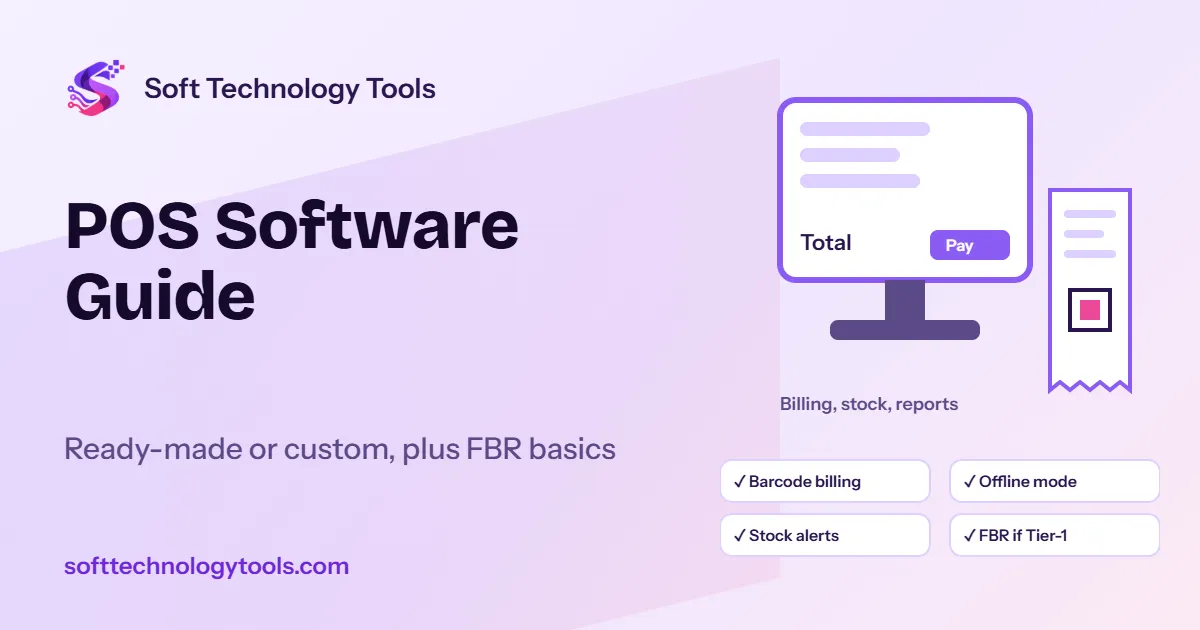
POS software is the till system that rings up sales, prints receipts, takes cash, card and wallet payments and reduces stock with every sale. In Pakistan you can either subscribe to a ready-made POS (pay monthly or yearly and start within days) or have a custom POS built around the way your shop, restaurant or chain actually works.
For most single shops a good ready-made POS is the sensible start. A custom system makes sense when you have several branches, unusual pricing or stock rules, or you need the POS to talk to your website, CRM or accounts. This guide gives you a feature checklist, a fair comparison of both routes and what to know about FBR POS integration if you are a Tier-1 retailer.
What a POS system does
“POS” stands for point of sale: the place and the software where a customer pays. A modern POS is more than a cash register. Behind the billing screen it keeps a record of every item, price, discount, payment and cashier, so you can see what sold, what is running low and how each counter performed.
A typical setup in a Pakistani shop is a computer or tablet, a barcode scanner, a thermal receipt printer and a cash drawer. Some businesses add a customer display, a weighing scale or a kitchen printer. The software is the part that decides how smooth daily work feels, so that is where to spend your attention.
Feature checklist for Pakistani shops
Before you look at any product, write down which of these you need. It keeps demos focused on your business rather than on the vendor’s favourite features.
Billing and payments
- Fast barcode billing, plus search by name for items without a barcode.
- Split payments in one bill: cash, card, bank transfer and mobile wallets such as JazzCash or Easypaisa.
- Discounts, returns and exchanges with a clear record of who approved them.
- Customer credit (udhaar) with a running ledger, if you sell on account.
- Receipts printed or sent digitally, in the format your tax position needs.
Stock and purchasing
- Stock that reduces automatically with each sale and increases with each purchase.
- Low-stock alerts and a simple reorder list.
- Variants such as size and colour, and batch or expiry tracking for pharmacy and food.
- Supplier records and purchase orders. Our guide to CRM for small businesses covers the customer side of the same idea.
Control and reports
- Separate user logins with permissions, so cashiers cannot change prices or delete bills.
- End-of-day cash closing and a daily sales summary.
- Reports by item, category, cashier, branch and payment method.
- Data export, so your sales history is never trapped in one system.
Practical needs in Pakistan
- Offline mode. Billing should keep working during an internet outage or load-shedding and sync when the connection returns. Ask to see this in a demo.
- Urdu or bilingual screens and receipts if your staff or customers prefer them.
- Multi-branch view if you have, or plan, more than one outlet.
- Local support in your working hours, in a language your staff understand.
- Online store link. If you also sell online, stock should be shared, so you never sell the same item twice. See our guides to a Shopify store in Pakistan and ecommerce website cost.
Ready-made or custom: a side-by-side view
| Point | Ready-made POS | Custom POS |
|---|---|---|
| Start time | Days, once items are entered | Weeks, agreed in the quote |
| Cost pattern | Monthly or yearly subscription, often per outlet or user | Build cost up front, then hosting and support |
| Fit | You adapt to the software | Software follows your process |
| Updates | Vendor decides what changes and when | You decide what is added |
| Integrations | Limited to what the vendor offers | Can connect to your website, CRM, WhatsApp or accounts |
| Data and ownership | Check the export and exit terms | Code and data can be yours |
| Best for | Single shops with standard needs | Chains, wholesalers, special pricing or workflows |
When ready-made is the right call
If you run one shop with standard billing, a ready-made POS gets you working quickly and spreads the cost over time. Ask for a free trial, test it on your own products for a week and check that you can export your items, customers and sales whenever you want.
When custom is worth it
Custom software pays off when your rules do not fit a template. Examples: a wholesaler with different price lists per customer, a chain that transfers stock between branches every day, a business that needs the POS, website and WhatsApp orders to share one stock count, or a company that wants its own reports. A middle path is also common: keep a ready-made POS and build a small custom layer, such as a dashboard or an integration, on top of its data.
FBR POS integration for Tier-1 retailers
The Federal Board of Revenue runs a point of sale integration scheme. According to FBR’s POS integration FAQs, all Tier-1 retailers are required to integrate their POS with FBR’s computerised system for live reporting of sales. The FAQ lists examples of Tier-1 categories, such as outlets of chain stores, retailers in air-conditioned malls and larger shops, and notes that restaurants have their own integration rules. Definitions and thresholds are set in the law and can change, so confirm your own status with FBR or your tax adviser.
For buyers of POS software, the practical points are:
- If you are a Tier-1 retailer, the POS you choose must support FBR integration. Ask the vendor or developer to show it working, not just promise it.
- Integrated invoices carry an FBR invoice number and QR code. FBR’s invoice verification page explains that customers can check an invoice in the Tax Asaan app or by SMS to 9966.
- FBR publishes its legal provisions, technical documentation and a list of integrated retailers on its POS pages. Your developer should work from those official documents.
- FBR’s FAQ also warns that software built to hide or skim sales falls under its penalty provisions. Only work with vendors who report every sale correctly.
If you are not a Tier-1 retailer, FBR integration may not apply to you, but your other tax obligations still do. This is a general overview, not tax advice.
How to choose in five steps
- List your must-haves from the checklist above, and mark the three that matter most.
- Count your items, users and branches. Pricing for ready-made systems usually depends on these.
- Book two or three demos and run the same test in each: bill ten real items, a return, a split payment and an end-of-day report.
- Check the exit. Ask how you export your data and what happens to it if you stop paying.
- Compare the full cost over two or three years, including hardware, setup, training, support and any per-user fees, against a fixed quote for custom work.
When we can help
Soft Technology Tools builds web apps, portals and dashboards for businesses in Pakistan. For POS work that usually means one of three things: a custom POS for a business whose process does not fit a template, an integration that links an existing POS to a website, CRM or WhatsApp, or reports and dashboards that pull sales from several branches into one view.
We start with a free call or WhatsApp chat, then send a written scope, timeline and fixed price for you to approve before any work begins. You own the code and data, and every login is handed over at launch. If a ready-made POS suits you better, we will say so. You can reach us through our contact page.
Frequently asked questions
Which is better in Pakistan, a ready-made or custom POS?
For a single shop with standard billing, a ready-made POS is usually faster and cheaper to start. A custom POS suits chains, wholesalers and businesses with special pricing, stock rules or integrations.
Is FBR POS integration mandatory?
FBR requires Tier-1 retailers to integrate their POS with its system for live sales reporting. Restaurants have separate rules. Check your own status with FBR or a tax adviser.
Can a POS work without internet?
Many can, if they offer an offline mode that saves bills locally and syncs later. Ask the vendor to show this in a demo before you buy.
What hardware do I need for a POS?
Usually a computer or tablet, a barcode scanner, a thermal receipt printer and a cash drawer. Restaurants may add kitchen printers, and some shops need a scale.
How much does a custom POS cost?
It depends on features, users, branches and integrations. We give a fixed written quote after a free call or WhatsApp chat, so you know the price before work starts.
Related guides
Ghost Touch Problem Solution for Android and iPhone
Ghost touch problem solution for Android and iPhone: check the protector, charger, moisture and touch settings, test the screen, or get it…
WordPress Website for Business in Pakistan: Pros and Cons
WordPress website development services in Pakistan: honest pros and cons, hosting requirements, security and updates, and when Shopify or…
Mobile Network Problem Solution: Signal, Data and Calls
Mobile network problem solution for Pakistan: fix no signal, mobile data and dropped calls on Android and iPhone, and know when to contact…