
Mobile Water Damage: What to Do in the First Hour (Skip the Rice)
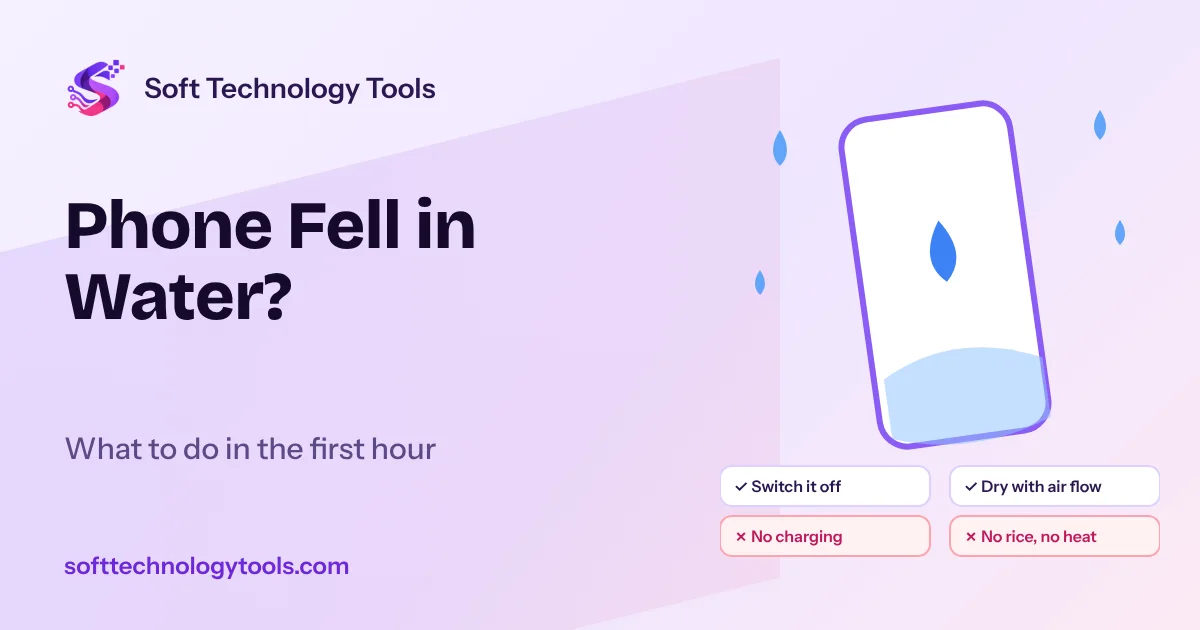
Mobile water damage happens in a second: a phone slips into a bucket, falls in a puddle during the monsoon, gets soaked in a pocket in the rain, or takes a cup of chai across the screen. What you do in the first hour decides whether the phone survives, and the most popular advice, putting it in rice, is not what phone makers recommend.
This guide explains exactly what to do when your phone gets wet, what not to do, the signs of hidden damage, what “water resistant” really means, and when to take it for repair. It applies to both Android phones and iPhones.
What to do in the first minutes
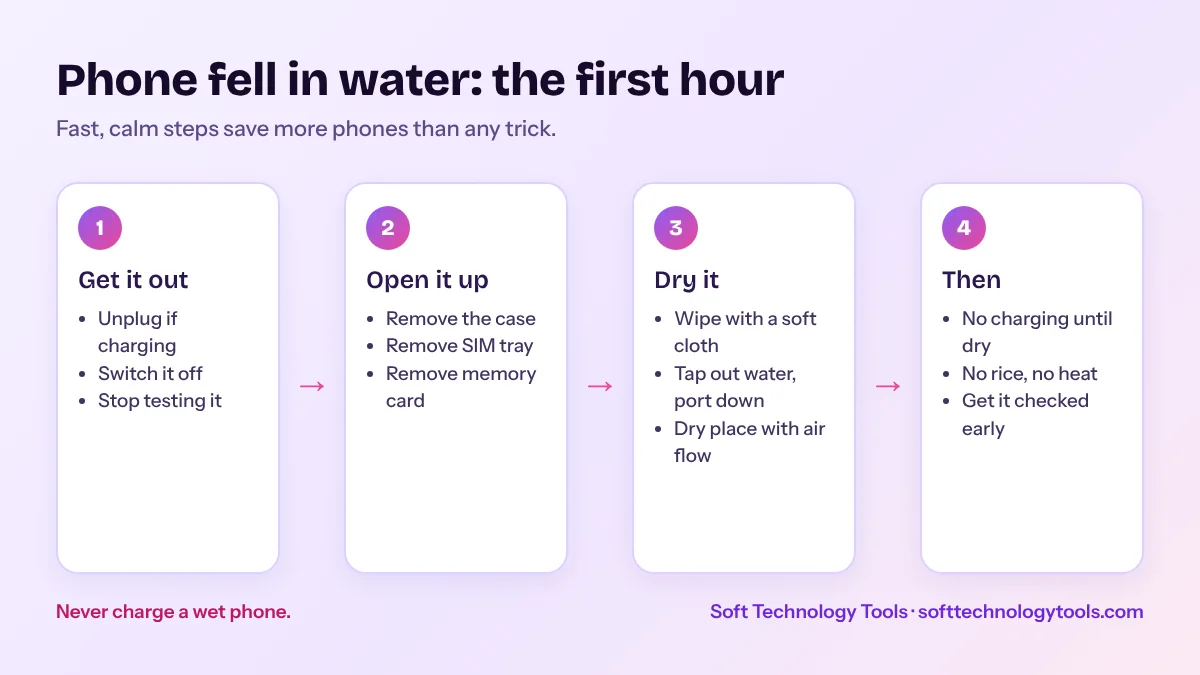
- Get it out of the water fast. The longer it stays in, the more liquid gets inside.
- Unplug it if it was charging, and do not plug it back in. Charging a wet phone is one of the fastest ways to cause a short circuit.
- Switch it off if it is still on, especially if it is not a water-resistant model. Do not keep testing the camera, speaker or screen.
- Remove the case, SIM tray and memory card. This lets air reach the openings.
- Wipe the outside with a soft, clean, lint-free cloth.
- Remove liquid from the ports. Hold the phone with the charging port facing down and tap it gently against your palm.
- Leave it to dry in a dry place with air flow, away from direct heat. Do not try to charge it until it is completely dry.
Samsung’s guidance for phones without water resistance is to remove the SIM and memory cards, dry the phone in a ventilated place and keep it switched off until dry, then have it inspected. You can read it on Samsung’s support page on water resistance.
What not to do
- Do not charge it until it is fully dry, and do not connect any accessories.
- Do not use a hair dryer, oven, heater or direct sunlight. Heat can damage the battery, screen and glue seals.
- Do not use compressed air or blow into the ports. It can push water further inside.
- Do not push cotton buds or paper into the charging port or speaker holes.
- Do not shake it hard or press the buttons again and again to “test” it.
- Do not open it yourself unless you are trained. Modern phones are sealed, and opening them wrongly can break the screen or the water seal.
Does rice work?
Putting a wet phone in a bag of rice is the most common advice, but phone makers advise against it. Apple says not to put a wet iPhone in rice, warning that small particles of rice could damage the phone, as reported by CTV News. Rice also does not reach the water trapped inside the phone, so it mostly gives a false sense of safety while time passes.
Instead, Apple’s advice is to tap out the liquid with the connector facing down, leave the phone in a dry area with some air flow, and wait before charging. Apple notes it can take up to a day to dry fully.
“Water resistant” does not mean waterproof
Many phones carry an IP rating such as IP67 or IP68. This means the phone passed a lab test in fresh water, at a set depth, for a set time. In real life:
- water resistance is not permanent and can weaken over time, as Samsung notes;
- a phone that has been dropped, repaired or had its screen or back replaced may no longer be sealed;
- salt water, pool water, soapy water, tea and other drinks are worse than fresh water and can leave residue; and
- warm water, steam and high-pressure water are outside what the test covers.
So even a water-resistant phone should be dried properly, and rinsed gently with fresh water only if the maker’s instructions say so after contact with salt water or other liquids.
Signs of water damage
Some phones seem fine at first and develop problems days later as corrosion builds up. Watch for:
- lines, spots or patches on the screen, or a touch screen that acts on its own;
- a muffled or crackling speaker, or a microphone people cannot hear well;
- fog inside the camera lens;
- the phone not charging, charging slowly, or showing a moisture warning;
- the battery draining fast or the phone getting unusually warm; and
- random restarts, or the phone not turning on at all.
If you notice any of these, stop charging and get it checked. Corrosion keeps spreading on the board, and early cleaning gives the best chance of saving the phone and your data.
When to take it for repair
Take it to a technician as soon as possible if the phone fell into anything other than clean water, if it was charging or switched on at the time, if it shows any of the signs above, or if it does not turn on after drying. A proper water damage repair usually means opening the phone, cleaning the board to remove moisture and residue, checking each part, and replacing what has failed, such as the charging port, battery or screen.
Through STT mobile services you tell us the phone, the problem and your location, verified repair shops near you send their rates, and you pay only after the phone is checked. You can follow the job online at /track/ with your reference or mobile number. Mobile service requests are handled on WhatsApp. For repairs in Lahore, see our mobile repair in Lahore page.
Protect your data
Water damage is a reminder to keep a backup. If the phone still works after drying, back up your photos, contacts and WhatsApp chats straight away, before problems appear. Our guide to phone data transfer and backups shows how. If the phone does not turn on, tell the technician that the data matters to you before any parts are replaced.
Frequently asked questions
What should I do first when my phone falls in water?
Take it out, unplug it, switch it off, remove the case and SIM tray, wipe it, tap out water with the port facing down and leave it to dry with air flow. Do not charge it until it is completely dry.
Should I put my wet phone in rice?
No. Phone makers such as Apple advise against it, because rice particles can get into the phone and rice does not dry the inside. Let it dry in a dry place with air flow instead.
How long should a wet phone dry before charging?
Wait until it is completely dry. Apple says it can take up to a day for an iPhone to dry fully. If the phone shows a moisture or liquid warning, do not force it to charge.
Can a water-damaged phone be repaired?
Often, yes, especially if it was switched off quickly and checked early. A technician cleans the board and replaces damaged parts. The longer corrosion is left, the harder the repair.
Does an IP68 phone need repair after falling in water?
Not always, but water resistance weakens with age and damage, and salt water or drinks can still cause problems. Dry it properly and get it checked if anything works differently.
Where can I get water damage repair?
Send your phone model, the problem and your location through STT mobile services or on WhatsApp. Verified shops near you send rates, and you pay only after the phone is checked.
Related guides

POS Software in Pakistan: Ready-Made or Custom?
POS software in Pakistan: a feature checklist, ready-made vs custom compared, and what FBR POS integration means for Tier-1 retailers…

Ghost Touch Problem Solution for Android and iPhone
Ghost touch problem solution for Android and iPhone: check the protector, charger, moisture and touch settings, test the screen, or get it…

WordPress Website for Business in Pakistan: Pros and Cons
WordPress website development services in Pakistan: honest pros and cons, hosting requirements, security and updates, and when Shopify or…