
Mobile Hang Problem Solution: Step-by-Step Fixes
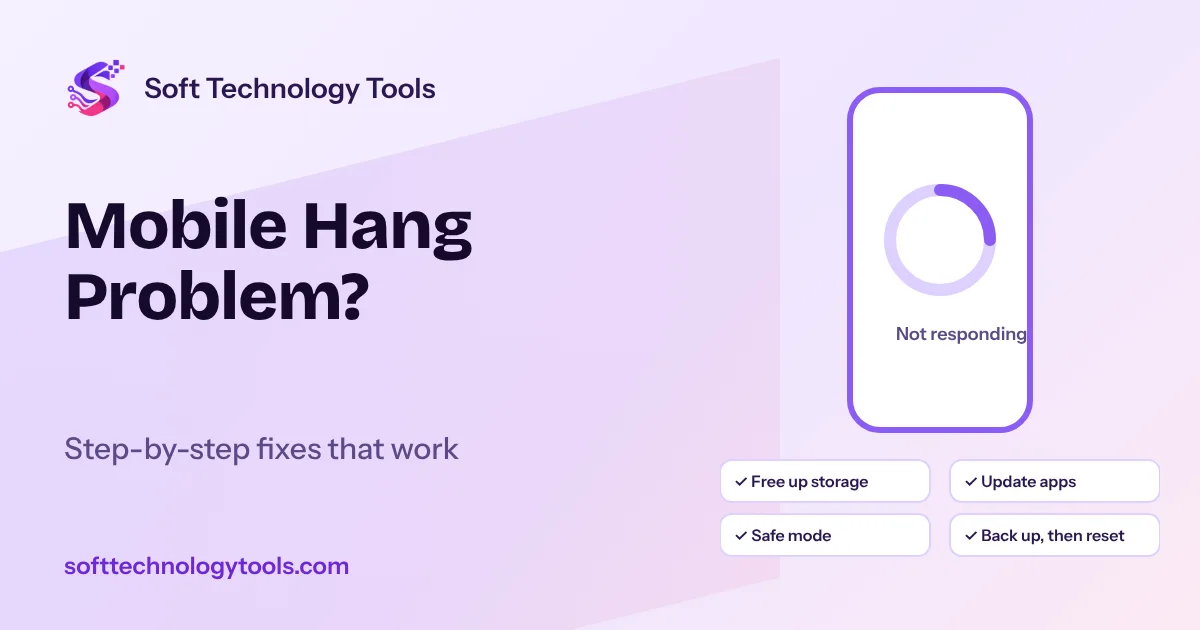
A phone that hangs, freezes or becomes slow is one of the most common complaints we hear. Apps take ages to open, the keyboard lags, the screen stops responding, or the phone restarts on its own. In most cases the cause is software: full storage, a misbehaving app or a missed update. These you can usually fix yourself. Sometimes the cause is hardware, and then the phone needs a technician.
This guide gives a step-by-step mobile hang problem solution for Android and iPhone, from the quickest fixes to a factory reset, which you should only do after a full backup.
Why phones hang
The usual causes are:
- Storage almost full. Photos, videos, WhatsApp media and app data fill phones quickly, and a nearly full phone slows down.
- Too many apps running at once, especially on phones with less memory.
- One faulty app that crashes, freezes or keeps the processor busy.
- Old software, or an update that has not finished properly.
- Harmful or unsafe apps, often installed from links or files outside the official app store.
- Heat. Phones slow themselves down when they get too hot. See our guide to the mobile heating problem.
- Hardware faults, such as a failing storage chip, a damaged screen or a weak battery.
| What you notice | Likely cause | First thing to try |
|---|---|---|
| Everything is slow, storage warning | Storage nearly full | Free up space (Step 2) |
| Only one app freezes or closes | That app | Update, clear cache or reinstall it (Step 3) |
| Started after installing an app | The new app | Safe mode, then remove it (Step 5) |
| Hangs only when hot | Overheating | Let it cool, check for heavy apps |
| Touch acts on its own, or no response in one area | Screen or touch fault | Get it checked |
| Restarts in a loop, or hangs even after a reset | Possible hardware fault | Get it checked |
Step 1: Restart or force restart
A restart clears memory and stops stuck processes, and solves many hangs on its own. If the phone is not responding at all:
- Android: if the phone is frozen with the screen on, Google suggests holding the power button for about 60 seconds to restart it. Some brands use a different button combination, so check your phone maker’s support site if that does not work. Details are on Google’s page on fixing an Android device that freezes.
- iPhone: the force restart steps depend on the model. Apple explains them on its page on restarting an unresponsive iPhone.
A force restart does not erase your data. If it helps, keep going through the steps below so the hang does not return.
Step 2: Free up storage
Low storage is one of the biggest causes of a slow, hanging phone. Google says an Android phone can start having issues when less than 10% of its storage is free.
- Check storage: on Android go to Settings and Storage. On iPhone go to Settings, General, then iPhone Storage.
- WhatsApp media: WhatsApp has a storage manager under its settings that shows large files and forwarded videos. Delete what you do not need.
- Photos and videos: back them up, then remove copies from the phone if you have them safely elsewhere.
- Unused apps: uninstall games and apps you have not opened for months.
Google’s guide to freeing up storage on Android walks through this in more detail. Avoid “cleaner” or “booster” apps. Many of them add adverts and background activity, which can make a hang worse.
Step 3: Deal with problem apps
If the hang happens in one app, or started after you installed or updated something, the app is the most likely cause.
- Update the app from Google Play or the App Store.
- Force stop it and open it again. On Android this is in Settings, Apps, then the app.
- Clear the app’s cache on Android. Clearing cache is safe. Clearing data or storage resets the app and can delete what is saved in it, so be careful with that option.
- Uninstall and reinstall it. On iPhone you can also offload an app, which keeps its documents and data.
- Remove apps you do not trust, especially anything installed from a link or file rather than the official store.
Also cut down live widgets and background apps, which take memory the phone needs.
Step 4: Install updates
System updates fix bugs, close security holes and sometimes improve speed. Check for them in Settings under Software update or System update on Android, or Settings, General, Software Update on iPhone.
Install updates on Wi-Fi with the phone charged. After a big update the phone may feel slow for a day or so while it finishes background work. Update your apps too.
Step 5: Use safe mode on Android
Safe mode starts Android with downloaded apps temporarily turned off. If the phone runs smoothly in safe mode, a downloaded app is almost certainly the cause. Google explains this on its safe mode help page, and notes that the way to enter safe mode varies by phone, so check your phone maker’s support site for the exact steps.
If the problem stops in safe mode, restart normally and remove recent apps one at a time until the hang stops. Safe mode may remove some widgets, so screenshot your home screen first. iPhones do not have a safe mode for users in the same way, so on iPhone focus on Steps 1 to 4.
Step 6: Factory reset, after a backup
If nothing else works, a factory reset returns the phone to its original software and often cures a stubborn software hang. But a factory reset erases everything on the phone: photos, contacts, chats, apps and settings. Do it only as a last resort, and only after a full backup.
- Back up first. Our phone data transfer and backup guide explains how to back up photos, contacts and WhatsApp chats on Android and iPhone.
- Know your account details. Google says you will need your Google Account username and password and screen lock after the reset. On iPhone you need your Apple Account password.
- Charge the phone and connect to Wi-Fi.
- Reset: follow Google’s factory reset guide for Android, or on iPhone go to Settings, General, Transfer or Reset iPhone, then Erase All Content and Settings.
- Test before restoring everything, so you can see whether the hang returns.
When it is a hardware problem
If the phone still hangs after a factory reset, or shows any of these signs, the fault is likely hardware:
- the touch screen responds on its own, or one part of the screen does not respond;
- the phone restarts in a loop, or gets stuck on the logo;
- it hangs mostly when it gets hot, or shuts down with charge left;
- it started hanging after a drop or contact with liquid (see our mobile water damage guide); or
- it shows storage errors, or files and photos go missing.
A technician can test the screen, battery, storage and board. For software problems, such as a failed update or a phone that will not start properly, see our mobile software page. Through STT mobile services you tell us the phone, the problem and your location, verified repair shops near you send their rates, and you pay only after the phone is checked. You can track the job at /track/. In Lahore, see mobile repair in Lahore. A shop may ask for proof that the phone is yours; our device policy explains why.
Frequently asked questions
What is the quickest mobile hang problem solution?
Restart the phone, then free up storage. These two steps fix a large share of hangs. If the hang is in one app, update or reinstall that app.
Why does my phone hang even with free storage?
A faulty app, old software, heat or a hardware fault can cause hangs. Try updates and safe mode, and get it checked if it hangs after a reset.
Will a factory reset delete my data?
Yes. A factory reset erases everything on the phone. Back up your photos, contacts and chats first, and make sure you know your Google or Apple account password.
How do I turn on safe mode?
It depends on the phone brand. Google says the method varies, so check your phone maker’s support site. To leave safe mode, restart the phone normally.
Where can I get a hanging phone checked?
Send your phone model, the problem and your location through STT mobile services or on WhatsApp. Verified shops near you send rates, and you pay only after the phone is checked. Mobile service requests are handled on WhatsApp only.
Related guides

POS Software in Pakistan: Ready-Made or Custom?
POS software in Pakistan: a feature checklist, ready-made vs custom compared, and what FBR POS integration means for Tier-1 retailers…
Ghost Touch Problem Solution for Android and iPhone
Ghost touch problem solution for Android and iPhone: check the protector, charger, moisture and touch settings, test the screen, or get it…

WordPress Website for Business in Pakistan: Pros and Cons
WordPress website development services in Pakistan: honest pros and cons, hosting requirements, security and updates, and when Shopify or…