
Mobile Network Problem Solution: Signal, Data and Calls
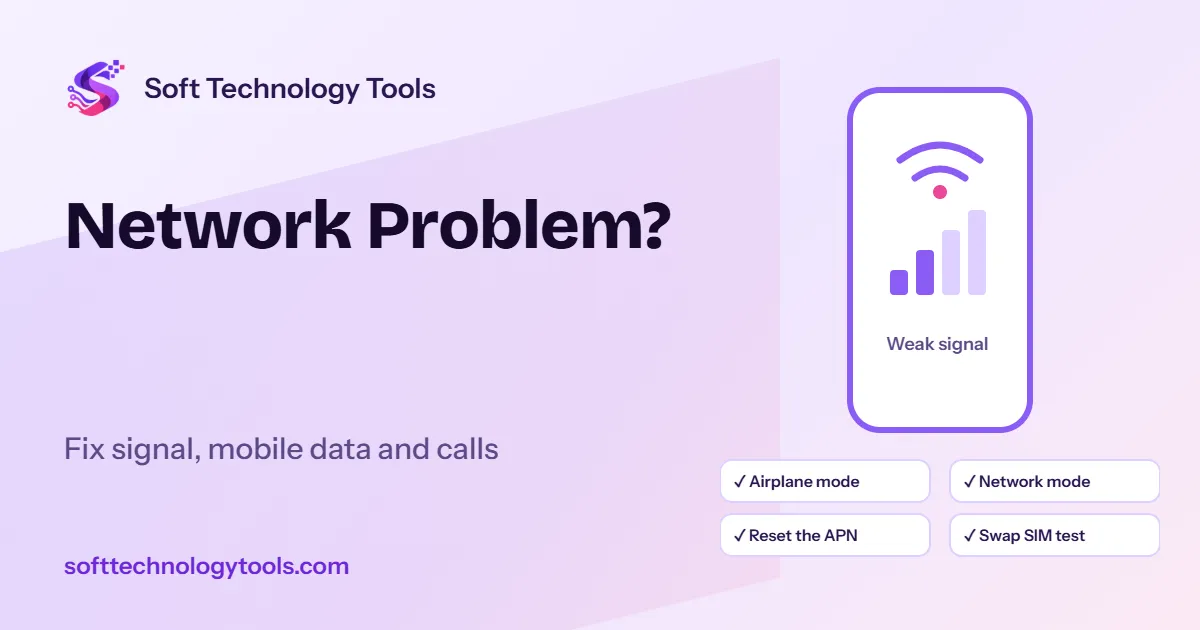
Most mobile network problems come down to four things: weak coverage where you are, a setting on the phone (airplane mode, network mode, mobile data, APN), the SIM or your line, or, less often, a fault in the phone itself. The quickest mobile network problem solution is to toggle airplane mode, restart the phone and check whether the problem follows you to another place or another SIM.
This guide splits the problem into signal, mobile data and calls, so you can jump to the part that matches what you see. The steps work for Android phones such as Samsung, Redmi, Infinix, Tecno, Vivo and Oppo, and for iPhone, on Jazz, Zong, Ufone and Telenor.
First, name the problem
| What you see | Most likely area | Go to |
|---|---|---|
| “No service” or no bars anywhere | SIM, line, settings or phone | Signal |
| Bars drop in one room or area only | Coverage at that spot | Signal |
| Bars are fine but the internet does not load | Mobile data settings, APN or package | Mobile data |
| Calls cut off or people cannot reach you | Network mode, VoLTE or call settings | Calls |
| “No SIM card” message | SIM or SIM reader | Our SIM not detected guide |
| “Emergency calls only” | SIM not registered on the network | Our emergency calls only guide |
One quick test helps with all of these: put your SIM in another phone, or another SIM in yours. If the problem follows your SIM, it is the SIM or your line. If it stays with your phone, it is the phone’s settings or hardware.
Basic fixes for every network problem
- Toggle airplane mode. Turn it on, wait at least 15 seconds as Apple suggests, then turn it off. The phone searches for the network again.
- Power off, then on. Google’s fix mobile connectivity issues page suggests powering off rather than choosing restart, waiting 30 seconds, then switching on.
- Update the software. Samsung says outdated software may affect network stability or call performance. Install updates over Wi-Fi.
- Reset mobile network settings. On Samsung: Settings, General management, Reset, Reset mobile network settings. On Pixel: Settings, System, Reset options, Reset mobile network settings. Samsung notes this cannot be undone, so write down any custom APN first.
No signal or weak signal
Check whether it is the location
Signal drops inside basements, lifts, thick concrete buildings and some rural areas. Google suggests turning off Wi-Fi and looking at the signal icon, then moving to another place if the signal is low, and asking your operator about coverage. Google also suggests removing the phone’s case and moving away from walls and buildings.
Change the network mode
If you set the phone to one network type only, such as 5G or LTE, and that network is weak where you are, the phone may lose signal. On Samsung go to Settings, Connections, Mobile networks, Network mode and try the other modes. Samsung’s network signal guide says the selected mode may not connect properly depending on your location or carrier. On Pixel the preferred network type is under Settings, Network and internet, SIMs.
Check the network operator
In the same mobile network menus you can see which operator the phone is using. If a different operator was selected by hand, choose your own network again.
Check the SIM is on and seated
On a dual-SIM phone, make sure the SIM you want is switched on. On Pixel this is Settings, Network and internet, SIMs, then Use SIM. Google also suggests ejecting the tray, wiping the SIM with a microfibre cloth and reinserting it.
Mobile data not working
- Turn on mobile data. On Pixel go to Settings, Network and internet, SIMs and make sure Mobile data is on. On a dual-SIM phone, check the right SIM is chosen for data, because only one SIM can be the default for data.
- Check your package. If your internet bundle has run out or expired, data stops even with full bars. Check your balance or package with your operator’s app or service.
- Reset the APN. Samsung says incorrect APN settings may prevent the phone from connecting. Go to Settings, Connections, Mobile networks, Access Point Names, tap the three dots and choose Reset to default.
- Turn off Battery Saver if 5G is slow or missing. Google notes that Battery Saver turns off 5G on Pixel phones.
- Check Wi-Fi is not getting in the way. If the phone is connected to a Wi-Fi network with no internet, turn Wi-Fi off and test mobile data alone.
If Wi-Fi works but mobile data does not on any SIM, the phone’s settings are the next suspect. If your SIM has no data in any phone, contact your operator.
Calls dropping or not connecting
- Calls drop in one place only: this is usually coverage. Try the network mode step above.
- VoLTE: Google suggests checking your VoLTE status in the SIM settings if calls drop. Your operator can tell you whether VoLTE is active on your line.
- Wi-Fi calling: where your operator supports it, Wi-Fi calling can help indoors with weak signal. On Pixel it is under Settings, Network and internet, SIMs, Wi-Fi calling. Check with your operator first.
- Incoming calls missing: Samsung notes that calls from unknown or hidden numbers may be blocked. In the Phone app open the three dots, Settings, Block numbers, and check Block calls from unknown numbers. Also check the contact is not blocked or set to go to voicemail.
- Bluetooth: a connected earbud or car kit may be taking the call. Turn Bluetooth off and test.
On Samsung, the Samsung Members app has a Mobile network test under Support, Get started that checks the network status.
iPhone network settings
Apple’s guide to SOS, No Service or Searching lists: check coverage, turn airplane mode on and off, check the mobile line is turned on (dual SIM), check for a network provider settings update in Settings, General, About while on Wi-Fi, remove and reinsert the SIM, restart and update iOS. On iPhone 6 or later Apple also suggests making sure Enable LTE is on under mobile data options. When travelling, turn on Data Roaming under mobile data options.
When to contact your operator
Contact Jazz, Zong, Ufone or Telenor if the problem follows your SIM into another phone, if the whole area seems affected, or if data stopped with no change on your phone. Google and Apple both suggest asking your operator about outages, your data plan and whether your account is active. Apple adds that you should ask whether your device is blocked or barred from mobile service.
Lines that are not used for a long time can be closed. For example, Ufone’s general terms say a connection inactive for 180 days may be disconnected. Check your own operator’s terms.
If no SIM works in one particular phone, its registration may be the reason. In Pakistan, PTA’s DIRBS system is meant to make sure only approved, legal devices work on mobile networks. Our guide on how to check if a phone is PTA approved shows how to check a phone’s status.
When the phone needs a repair
If every SIM shows weak or no signal in your phone while other phones nearby are fine, and the steps above did not help, the antenna, its connections or the board may be damaged, often after a drop, a screen or back replacement, or water damage. A technician can test these. Through STT mobile services you tell us the phone, the problem and your location, verified shops near you send rates, and you pay only after the phone is checked. In Lahore, see mobile repair in Lahore. Requests are handled on WhatsApp only, and we only work on phones you own or have permission to repair.
Frequently asked questions
What is the quickest mobile network problem solution?
Turn airplane mode on for 15 seconds and off again, then power the phone off for 30 seconds. If that does not help, reset mobile network settings.
Why does my phone have signal but no internet?
Mobile data may be off, your package may have ended, the wrong SIM may be set for data, or the APN settings may be wrong. Reset the APN to default and check your package.
Why do my calls keep dropping?
Usually weak coverage where you are. Try another network mode, check VoLTE in the SIM settings, and reset mobile network settings. If calls drop everywhere, contact your operator.
How do I know if it is the phone or the SIM?
Swap SIMs with another phone. If the problem follows your SIM, contact your operator. If it stays with your phone, check its settings or get it tested.
Related guides
POS Software in Pakistan: Ready-Made or Custom?
POS software in Pakistan: a feature checklist, ready-made vs custom compared, and what FBR POS integration means for Tier-1 retailers…
Ghost Touch Problem Solution for Android and iPhone
Ghost touch problem solution for Android and iPhone: check the protector, charger, moisture and touch settings, test the screen, or get it…

WordPress Website for Business in Pakistan: Pros and Cons
WordPress website development services in Pakistan: honest pros and cons, hosting requirements, security and updates, and when Shopify or…