
Second Hand Mobile Check: Used Phone Checklist for Pakistan
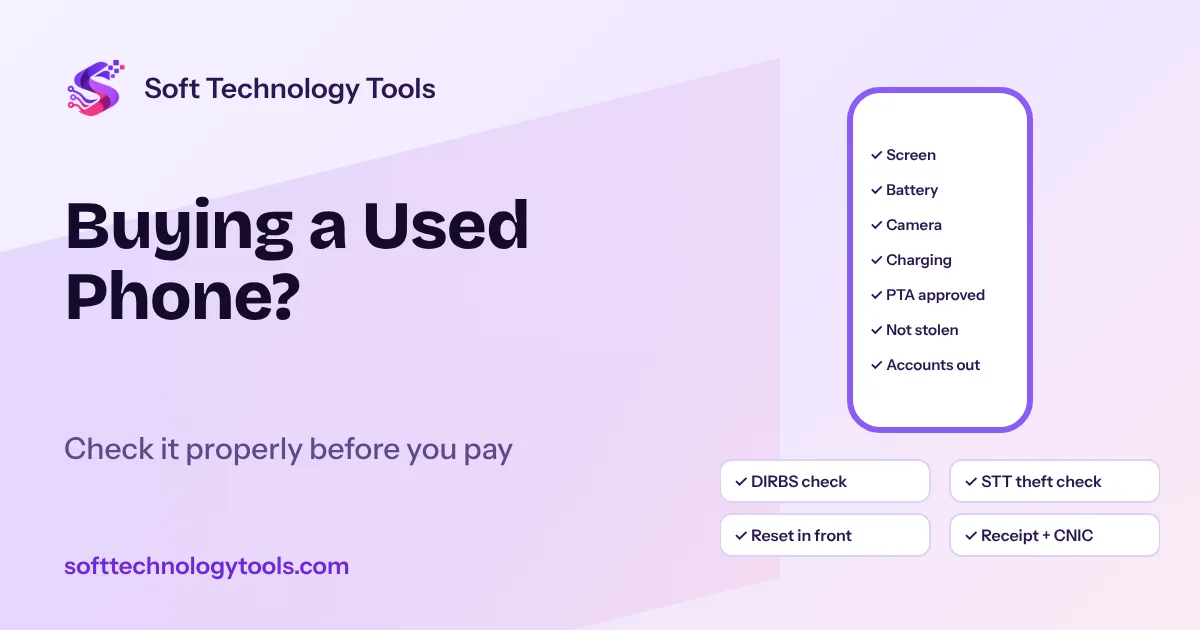
Buying a used phone can save you a lot of money, but only if you check it properly before you pay. In Pakistan, a second hand mobile check has two parts: making sure the phone works, and making sure it is legal to use. A phone in perfect condition is still a bad buy if it is not PTA approved, if it has been reported stolen, or if it is still locked to the seller’s account.
This used phone checklist covers both, for Android and iPhone. Go through it in order and do not let a seller rush you.
Before you meet the seller
- Meet in a safe, public place during the day, and take someone with you.
- Bring a SIM card, a charger and cable, earphones if you use them, and your own phone with internet to run the checks.
- Ask for the box, purchase receipt and warranty card. Without a box, be more careful.
- Ask for the IMEI before meeting to run a first check. Check it again on the phone itself.
Physical checks
Look closely in good light, with the case removed.
- Frame and back: look for dents, cracks and bent corners.
- Screws and edges: scratched screws near the charging port, or glue showing at the edges, can mean the phone has been opened.
- Gaps and bulging: a screen lifting from the frame or a back that bulges can mean a swollen battery. Do not buy it. Our guide to the mobile heating problem explains why this is a safety risk.
- Ports and SIM tray: check for rust, green marks or dirt, which can be signs of liquid damage. See our mobile water damage guide for other signs.
- Model and storage: check in Settings, under About phone or General, that the model, storage and colour match what the seller advertised and what is printed on the box.
Screen and touch
- Spots and lines: view a plain white image, then a black one, at full brightness.
- Touch: drag an app icon slowly across every part of the screen, including the corners and edges. It should follow your finger without jumping or stopping.
- Keyboard: type a full line of text, using every row of keys.
- Brightness and auto-rotate: move the brightness slider and turn the phone sideways.
- Fingerprint and face recognition: ask the seller to remove theirs, then add your own and test it.
A replaced screen is not always a problem, but you should know before agreeing a price. Ask the seller directly.
Battery and charging
- iPhone: go to Settings, Battery, then Battery Health. If it shows a service message, the battery will need replacing soon. Apple explains this on its page about iPhone battery drain.
- Samsung: open the Samsung Members app, go to Support and run the Battery status check, as shown on Samsung’s battery status page.
- Other Android phones: some show battery health in settings. If not, watch how fast the percentage drops.
- Charging: plug in your own charger. It should start charging straight away, with the cable sitting firmly.
- Heat: after ten minutes of testing, the phone should not feel hot.
Our guide to mobile battery draining fast lists the signs of a worn battery.
Camera, sound and buttons
- Cameras: take photos and a short video with every camera. Check focus, zoom, flash, and dust or fog inside the lens.
- Calls: insert your SIM and make a call. Check the earpiece, the microphone and the loudspeaker. Check signal bars and mobile data.
- Speakers: play a video at full volume and listen for crackling.
- Buttons: press power, volume and any other buttons. They should click and respond every time.
- Wi-Fi, Bluetooth and GPS: connect to Wi-Fi, pair a Bluetooth device and open maps.
Check it is PTA approved
In Pakistan, a phone’s IMEI must be registered with the Pakistan Telecommunication Authority to work on local mobile networks. You can check this yourself on PTA’s official DIRBS website.
- Dial *#06# on the phone to show its IMEI number or numbers. Dual-SIM phones usually have two.
- Compare the IMEI on screen with the box and receipt, digit by digit.
- Enter each IMEI on dirbs.pta.gov.pk using your own phone. Do not trust a screenshot from the seller.
Our full guide, how to check if a phone is PTA approved, explains each step and what the results mean. If the IMEI does not match the box, does not show at all, or is not approved, do not buy the phone unless you fully understand the status from PTA’s own website.
Check it is not reported stolen
A stolen phone can be blocked on networks after you buy it, and you could lose both the phone and your money. Before paying:
- Use the STT theft and IMEI check to see whether the phone has been reported.
- Read our guide on how stolen phones are blocked through PTA, so you understand what happens to a reported phone.
- Be wary of a price far below similar phones, or a seller whose name does not match their CNIC.
Accounts and reset in front of you
Buyers often skip this step. A phone that is still linked to the seller’s Google Account or Apple Account may ask for the seller’s password after a reset, and you will not be able to use it.
- Ask the seller to sign out of all accounts on the phone: Google, Samsung, Apple Account and any others. On iPhone, Apple’s guide to what to do before selling an iPhone says the seller should sign out of their Apple Account and then erase the phone.
- Ask the seller to factory reset the phone in front of you. On Android this is in Settings, under reset options. On iPhone it is Settings, General, Transfer or Reset iPhone, then Erase All Content and Settings.
- Set it up yourself before paying. The phone should reach the welcome screen and let you sign in with your own account without asking for anyone else’s.
If the phone asks for the previous owner’s account or password, or the seller says they “forgot” it, do not buy the phone. Only the real owner can remove their account. A seller who says a shop can “fix it later” is a serious warning sign. Our device policy explains why STT and its partner shops work only with proof of ownership.
Get a receipt and CNIC copy
Before handing over money, get a simple written receipt signed by the seller. It should include:
- the seller’s full name, CNIC number and mobile number;
- the phone’s brand, model and IMEI number or numbers;
- the price and the date; and
- a line stating the seller is the owner and the phone is not stolen.
Ask for a copy of the seller’s CNIC and check the name and photo match the person in front of you. Keep the box, receipt and CNIC copy safe; a repair shop may later ask for them as proof of ownership.
After buying, back up your new phone as you set it up; our phone data transfer guide shows how to move your data across. If the phone needs a repair, a battery or a check-up, tell us the phone, the problem and your location through STT mobile services. Verified shops near you send rates, you pay only after the phone is checked, and you can track the job at /track/.
Frequently asked questions
What should I check before buying a used phone?
Check the body, screen, battery, charging, cameras, calls and buttons. Then check the IMEI on PTA’s DIRBS website, make sure the phone is not reported stolen, and have the seller sign out and reset it in front of you.
How do I check if a second hand mobile is PTA approved?
Dial *#06#, compare the IMEI with the box, and enter it on dirbs.pta.gov.pk yourself. See our PTA check guide for details.
What if the phone asks for the previous owner’s account?
Do not buy it. Only the real owner can remove their account from the phone. Ask the seller to sign out and reset it in front of you before any money changes hands.
Can I check whether a phone is stolen?
Yes. Use the STT theft and IMEI check, and read our guide to blocking stolen mobiles through PTA.
Can STT check a used phone for me?
Send the phone model, what you want checked and your location through STT mobile services or on WhatsApp. Verified shops near you send rates, and you pay only after the phone is checked. Mobile service requests are handled on WhatsApp only.
Related guides
POS Software in Pakistan: Ready-Made or Custom?
POS software in Pakistan: a feature checklist, ready-made vs custom compared, and what FBR POS integration means for Tier-1 retailers…
Ghost Touch Problem Solution for Android and iPhone
Ghost touch problem solution for Android and iPhone: check the protector, charger, moisture and touch settings, test the screen, or get it…

WordPress Website for Business in Pakistan: Pros and Cons
WordPress website development services in Pakistan: honest pros and cons, hosting requirements, security and updates, and when Shopify or…